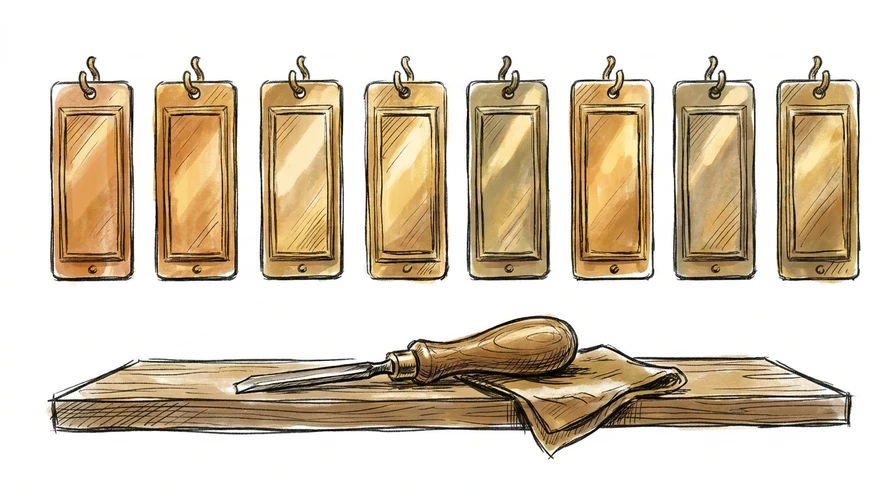
Tab through a small restaurant’s homepage and you reach a slider of eight photos, each one a link to a different Instagram post. A screen reader can tell you every one of them is a link. It cannot tell you which is which. An accessible name is the text software can read off a control to say what that control is, and those eight didn’t have one. W3C defines the name as “text by which software can identify a component within web content to the user”. Each of the eight links carried an aria-label attribute that somebody added and left empty: eight different destinations behind eight blank nameplates.
Why it matters
A name and a label are different things, and W3C says so in a note attached to its own definition: the name “may be hidden and only exposed by assistive technology, whereas a label is presented to all users. In many (but not all) cases, the label and the name are the same.”
Three words there do the work: but not all. An icon tells a sighted visitor what a button does. A photo of a sandwich tells them where that link goes. Software reads neither. It reads the name, and when a link’s entire content is an icon font, an image with no alt text, or an attribute somebody left blank, the name comes back empty. Someone navigating by keyboard arrives there, hears that it is a link, and gets nothing about where it goes. The only way to find out is to follow it, and on a row of eight that means eight guesses.
WCAG 2.1 puts this at Level A, the lowest bar in the standard, and applies it to every interactive control on a page: “For all user interface components (including but not limited to: form elements, links and components generated by scripts), the name and role can be programmatically determined.”
What it looks like on a real site
We scanned 31 pages across nine ordinary small businesses, drawn from the “Restaurants, Food and Drinks” category of the Portland Metro Chamber’s public member directory. Nine independent businesses off one chamber roster, not one web shop’s client list.
Links with no accessible name were the most widespread defect in the run: six of the nine had at least one, 37 in total, spread over 14 of the 31 pages. Home pages, contact pages, reservation and ordering pages alike.
The scanner’s complaint was identical all 37 times: “Element is in tab order and does not have accessible text.”
The shapes behind that one sentence, as the scanner recorded them: an icon font or an inline graphic as the link’s only content (11), an image as its only content (8), an aria-label attribute present and empty (8), and a link whose whole content was a single non-breaking space (4). Six more didn’t show their cause in the snippet.
Controls that aren’t links get asked the same question. On one of the nine sites, four dropdowns on the online-shop page, for size, color and style, had no accessible name either. A shopper using a screen reader gets four menus and no way to hear which one picks the size.
How is an accessible name fixed?
The browser engraves the plate for you, in an order W3C specifies: an aria-labelledby pointing at other text on the page wins, then aria-label, then whatever labelling the HTML itself provides — a <label> element, an image’s alt — and only then the element’s own text content. The first source that produces text becomes the name. When every source is empty, so is the name.
The fixes are small, and they repeat:
- A link with visible text already has a name. Nothing to do.
- An icon-only link needs an
aria-labelthat says where it goes:aria-label="Instagram". - An image link takes its name from the image’s alt text. Write that alt for where the link goes, not for what the picture shows.
- A dropdown needs a
<label>element tied to it, or anaria-labelon the select.
These live in components. The eight empty attributes above are one slider, engraved once. Four dropdowns are one product template. That is the useful thing about this defect: it presents as 37 problems and it is usually three or four.
Want to know what your own site announces? Run it through our free report — no login, no credit card, no sales call.
The fine print
- Where the scan numbers come from. 38 pages were attempted across 10 businesses, selected on 2026-09-08 by taking every 8th surviving listing in the directory’s own order, with the exclusion rules and the sample fixed before any site was opened. 31 pages across 9 businesses produced usable results. 7 pages returned an error body or timed out; those count as unknown, never as passes. The pre-registered sample, the full 217-card frame with each listing’s disposition, and the raw results are kept with the run in our research repo, which is not public.
- This is not a prevalence rate. One chamber, one category, one metro, one date, nine businesses with data. It says nothing about how often restaurants, small businesses, or Portland sites fail this — only what these nine did on the day we looked.
- No business is named on purpose. The unit here is the aggregate. The research record names the domains; an article doesn’t.
- On “not one web shop’s client list.” That follows from how the sample was drawn: a chamber roster lists independent businesses, where a vendor showcase lists one company’s work. Fingerprinting the homepages turned up more than one site platform among the nine, which is weak evidence and supports only that reading, never a claim about any platform.
- The markup shapes are the scanner’s serialization of the page, truncated — not the bytes the server sent. They are enough to characterize what those links looked like and not enough to assert what any one of them contains. The counts and the scanner’s own message are the solid part.
- A scan is a floor, never a verdict. Automated testing reaches only part of WCAG 2.1 AA. Nine of the 31 pages had zero detected violations, which is not the same as passing — five of those carried findings the scanner flagged for a human to review. And whether a name is useful, rather than merely present, is a judgment no tool makes.
- We sell ADA remediation. This is our own scanner, our own data, and our own interest in you having a problem. The method above is stated in full, which is the part you can argue with.
- The rule behind the count. The scanner flags this as
link-name, “Links must have discernible text,” which Deque maps to two Level A success criteria at once: 4.1.2 Name, Role, Value and 2.4.4 Link Purpose (In Context). - Courts reference WCAG; no binding holding adopts it. “ADA compliant” is a legal conclusion, not a measurement — a site can fail Success Criterion 4.1.2 without any court having said a word about it. We’re not lawyers, and this isn’t legal advice.
Sources
- W3C, Web Content Accessibility Guidelines (WCAG) 2.1, definition of “name” — https://www.w3.org/TR/WCAG21/#dfn-name
- W3C, WCAG 2.1, Success Criterion 4.1.2 Name, Role, Value (Level A) — https://www.w3.org/TR/WCAG21/#name-role-value
- W3C, WCAG 2.1, Success Criterion 2.4.4 Link Purpose (In Context) (Level A) — https://www.w3.org/TR/WCAG21/#link-purpose-in-context
- W3C, Accessible Name and Description Computation 1.1, W3C Recommendation, 18 December 2018 — https://www.w3.org/TR/accname-1.1/
- Deque, axe-core 4.10 rule
link-name, “Links must have discernible text,” mapped to WCAG 2.4.4 and 4.1.2 — https://dequeuniversity.com/rules/axe/4.10/link-name - Portland Metro Chamber, public member directory, category “Restaurants, Food and Drinks,” captured 2026-09-08 — https://community.portlandmetrochamber.com/membership-directory/Search/restaurants-food-and-drinks-249449
- Guava scan campaign, chamber member sites, 2026-09-08 — Cloudflare Browser Run + axe-core 4.10.3, ruleset
wcag2a, wcag2aa, wcag21a, wcag21aa. Findings, pre-registered sample and raw results held in our research repo.